Run as a Java Web Start application
If you have never used this program before, read below first.
You may be prompted about a "Security Warning" (because I am using a self-signed certificate). To resolve this restriction you will need to go to the Control Panel in Windows (or System Preferences on Mac), open the settings for Java, go to the Security tab, and add this website (http://www.mindtrace.net) to the Exception Site List. (On a Mac, you may still have to modify other settings to get this application to run.)
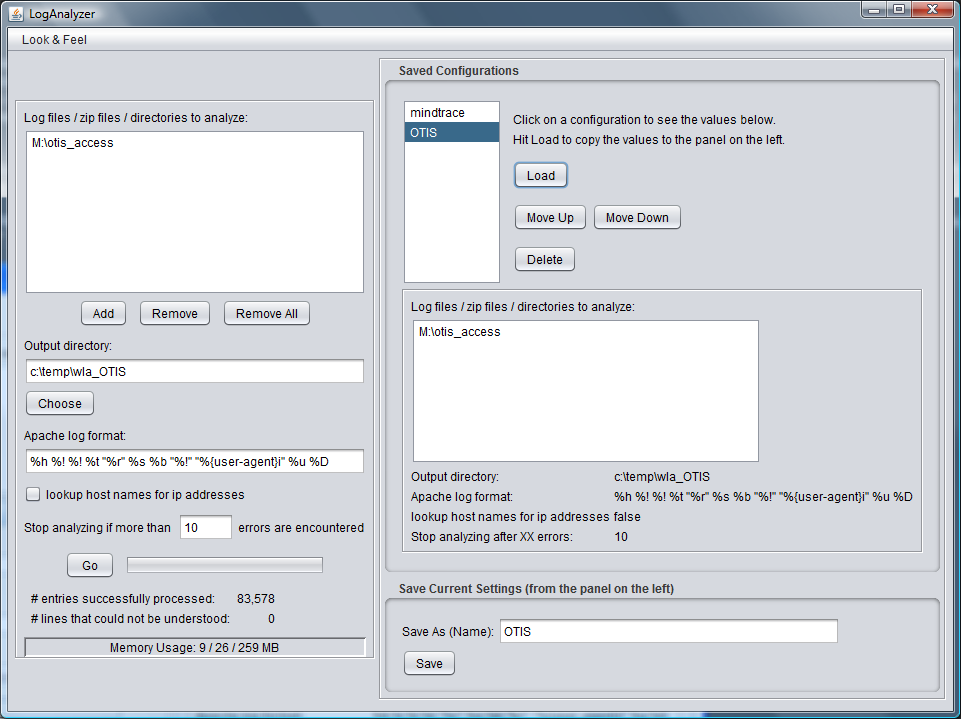
This program is capable of analyzing log files in both Apache and W3C formats. When you are analyzing Apache log files, the Common Log Format (CLF) is assumed unless you specify a custom format using the syntax found in the Apache documentation (the screen shot shows an example custom format). Note you can also use the words "common" and "combined" as in the Apache documentation. When you are analyzing W3C format log files, the headers in the log files themselves contain all the required format information. The Apache Log format field will be ignored when processing W3C format logs. The program will automatically detect which type of log files are being analyzed.
You can pick individuals files to analyze, zip files containing log files (zip files must contain ONLY log files), directories containing only log files or zip files, or a combination of all three. Tar files are not currently supported.
The program outputs a set of html and image files - saved to the output directory you specify. When the program is finished, just use your web browser to navigate to the ouput directory and load "index.html".
One more thing - All the HTML generated by this program is XHTML 1.0 compliant. Adhering to the XHTML 1.0 specification makes it easier for browsers to parse the documents and makes it more likely that these pages will be rendered the same way in all browsers.
(This page is also XHTML 1.0 compliant.)